Multi-Panel Calculator Layout
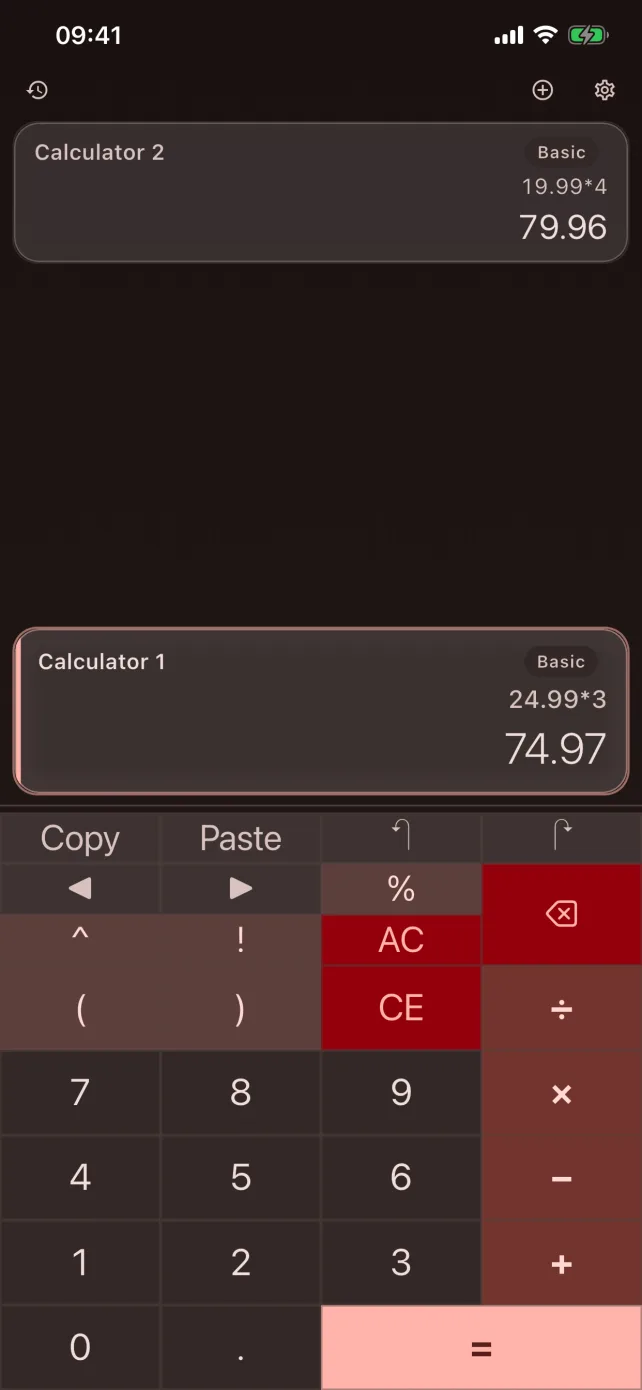
Open up to 8 independent calculators at once. Each panel runs its own mode, history, and state. Compare prices, run scenarios, or solve homework problems — all in parallel without switching screens.
CalcBoard is the multi-panel calculator app for iPhone and iPad. Run up to 8 independent calculators side by side, share values between panels, and switch between basic, scientific, programmer, and unit converter modes — all on one screen. No mainstream calculator app does this.
Features
Multiple independent calculator panels running simultaneously, with shared state between them — something no mainstream calculator app offers. Stop switching between apps. Stop losing your place.
Open up to 8 independent calculators at once. Each panel runs its own mode, history, and state. Compare prices, run scenarios, or solve homework problems — all in parallel without switching screens.
Push a result from one panel to the shared tray and pull it into another. Transfer values between calculators instantly — no copying, no retyping, no lost numbers.
Save any value as a variable — type tax=0.0825 once, then use price*tax in any panel. Variables persist between sessions and work across every calculator mode.
Basic, scientific, programmer, and unit converter. Each panel picks its own mode independently. One app handles every type of calculation — from simple arithmetic to binary-to-hex conversion.
Every result is saved automatically. Bookmark important calculations and add custom labels; Premium unlocks your full history with search and CSV export. Never lose a calculation again.
Arbitrary-precision math with no floating-point rounding errors. 0.1 + 0.2 = 0.3 exactly, every time. Financial calculations, engineering formulas, and scientific computations you can trust.
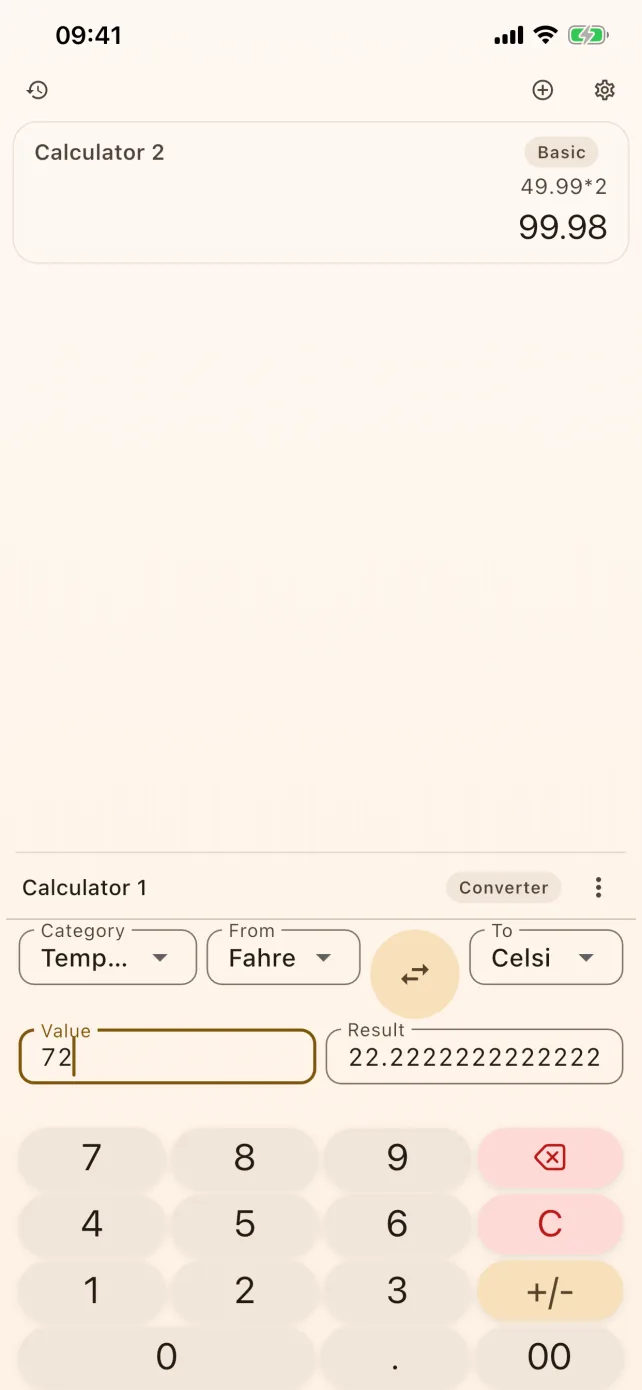
Instant conversion across 10 categories: length, mass, temperature, area, speed, time, data size, volume, energy, and pressure. Type a value and see the result instantly.
Add CalcBoard to your iPhone's Control Center and launch it in a single tap from any screen. Faster than opening the app drawer.
8 color themes, 6 button styles (Classic, Glass, Circle, Edge-to-Edge, Soft, Minimal), light and dark mode, haptic and sound feedback. Make CalcBoard look and feel exactly how you want.
VoiceOver labels on every key, WCAG AA contrast ratios, 48px minimum touch targets, and reduce-motion support. Designed for everyone from the start.
Calculator Modes
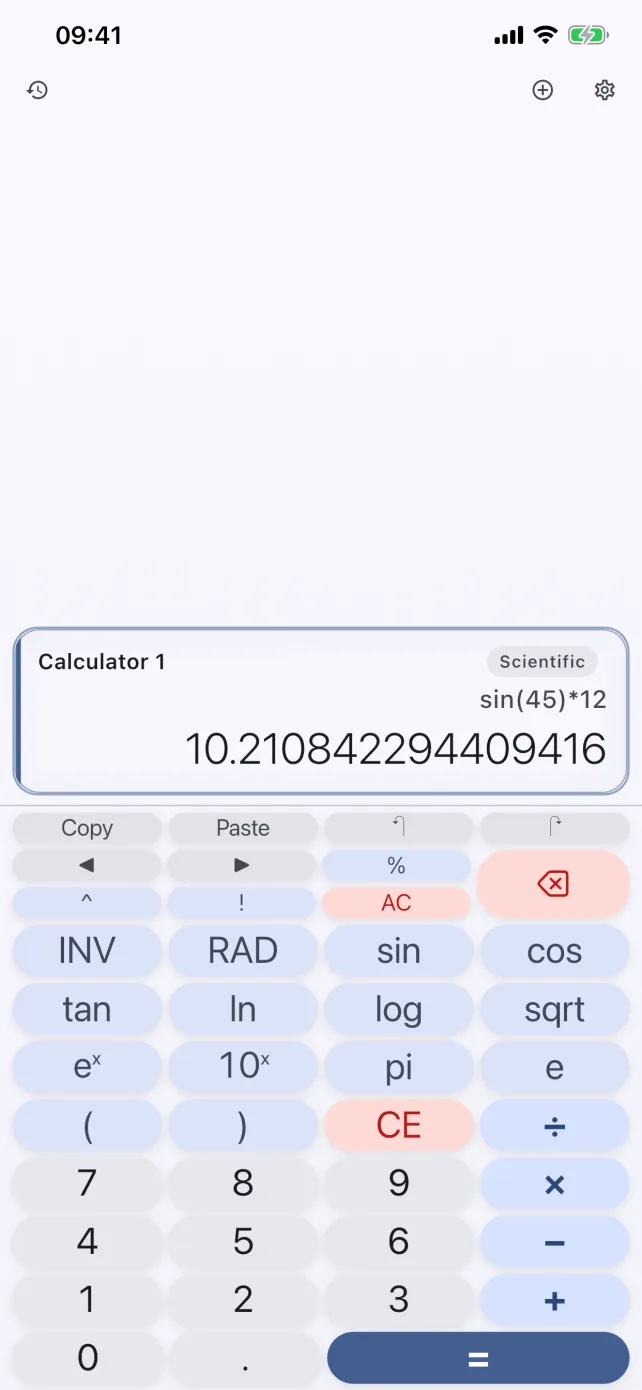
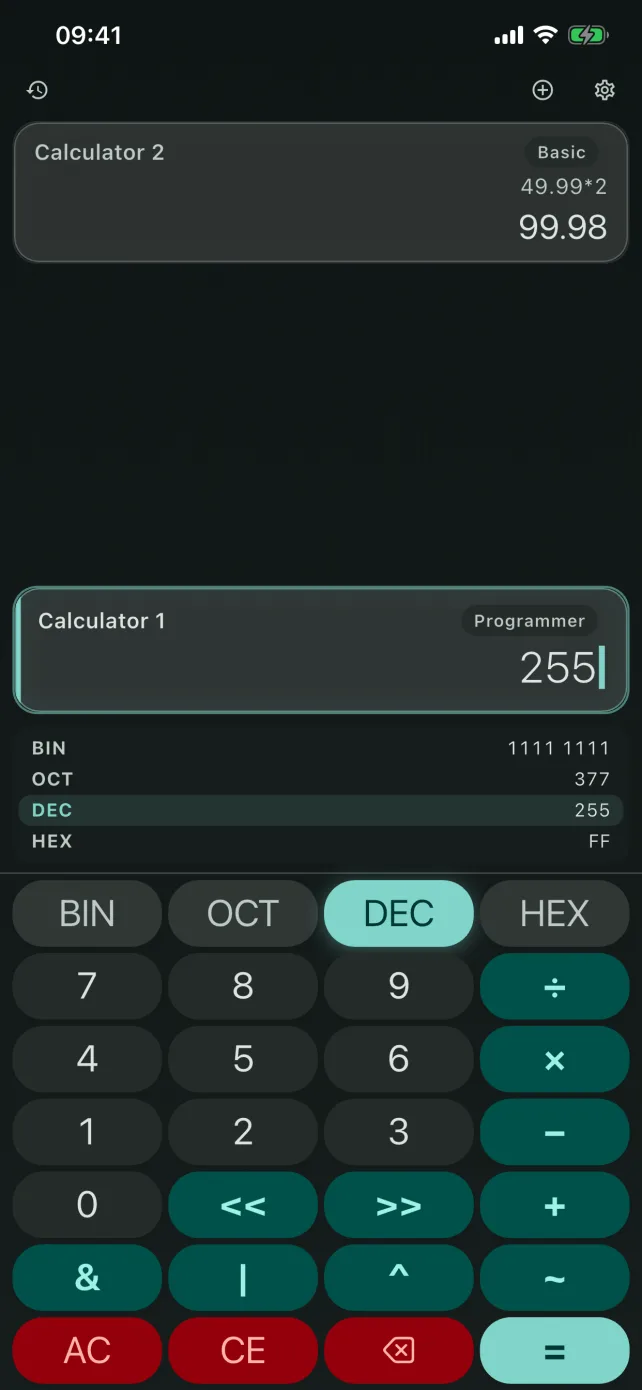
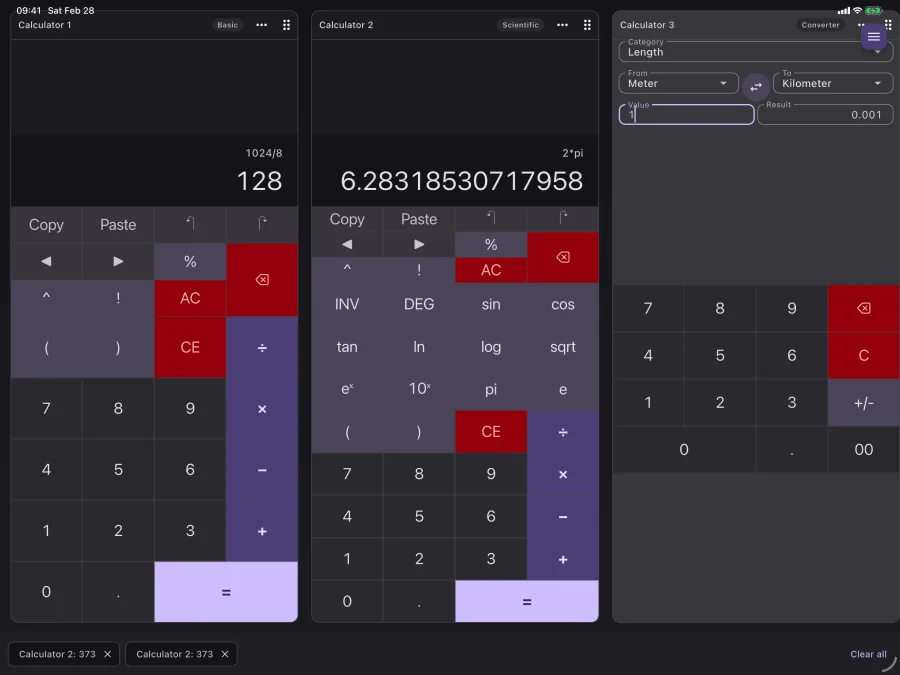
Set each panel to its own mode. Basic math in one, scientific in another, programmer in a third, unit converter in a fourth — all running simultaneously.
Standard arithmetic with full algebraic expression editing and arbitrary-precision results.
Trigonometric, logarithmic, and exponential functions for students, engineers, and scientists.
Binary, octal, decimal, and hexadecimal with bitwise operations for developers.
Instant conversion across 10 categories with 79 units. Results appear as you type.
Screenshots
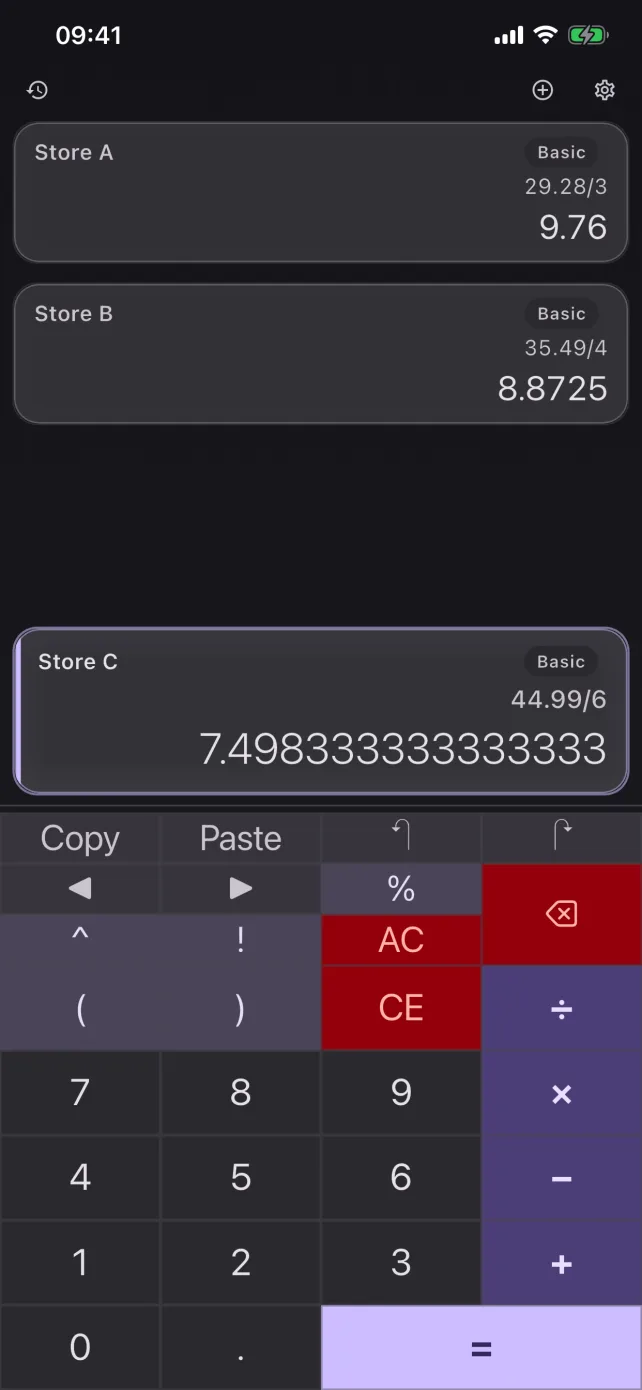
Real screenshots from the shipping app — multi-panel layouts, every calculator mode, and themes on iPhone and iPad.
How It Works
No account. No setup. No tutorial required. Open CalcBoard and you're already calculating.
Two calculator panels are ready immediately. Start calculating with zero setup.
Set each panel to Basic, Scientific, Programmer, or Unit Converter independently.
Work on multiple calculations at once. Each panel maintains its own independent state.
Push values to the shared tray and pull them into any panel with a single tap.
Use Cases
Standard calculator apps force you to do one calculation, write it down, clear, and start another. CalcBoard keeps everything visible at once.
Two stores, two panels, instant side-by-side comparison
Multiple math problems visible and solvable simultaneously
Convert units in one panel while calculating in another
Compare loan scenarios, budgets, or investments side by side
Hex, binary, octal, and decimal conversions alongside math
Materials, measurements, and cost estimates all at once
Comparison
Mainstream calculator apps handle one calculation at a time. CalcBoard runs up to 8 panels at once with cross-panel value sharing.
| Feature | Apple Calculator | PCalc | Calzy | CalcBoard (Free / $2.99) |
|---|---|---|---|---|
| Multiple simultaneous panels | — | — | — | Up to 8 |
| Shared value tray (cross-panel) | — | — | — | ✓ |
| Scientific mode | Landscape only | ✓ | ✓ | ✓ |
| Programmer mode (BIN/OCT/HEX) | — | ✓ | — | ✓ |
| Unit converter | Hundreds of units + currency | ✓ | — | 79 units, in its own panel |
| Calculation history | Basic (iOS 18+) | ✓ | ✓ | Search, labels + CSV export |
| Arbitrary-precision decimals | — | Not stated | Not stated | ✓ Confirmed |
| Customizable themes | — | ✓ | ✓ | 8 themes + 6 button styles |
| No ads | ✓ | ✓ | ✓ | ✓ |
| Price | Free (built-in) | Paid, one-time | Paid, one-time | Free / $2.99 one-time |
Comparison verified September 2026 against each app's current App Store listing. Apple's converter carries more units than CalcBoard's and adds live currency rates; CalcBoard's runs inside a panel next to a live calculation and works offline. Calzy's current version requires iOS 26 or later, where CalcBoard needs iOS 16. “Not stated” means that app's listing doesn't describe its arithmetic precision, so we don't claim it either way. Features and prices change — check the other apps' listings for their latest details.
Free on the web
No download, no sign-up, no ads — and nothing you type ever leaves your browser. These are complete tools, not demos.
Percent of, percent change, and adding or subtracting a percentage — with the formula written out underneath.
Compare two or three package sizes and find out which is genuinely the better deal per unit.
All four bases live at once, plus AND, OR, XOR, NOT and bit shifts — the web version of programmer mode.
Tip, total, and per-person share, with a round-up suggestion for settling up.
Sale price and real savings, including why stacked discounts never add up to their sum.
Length, weight, temperature, volume, area, speed, time, data, energy and pressure — all 79 units the app converts.
Built for a particular job? Students · Developers · Engineers · Shopping · Small business · iPad · Mac
Pricing
Pay once, own it forever. CalcBoard will never show you an ad or charge a recurring fee. Your calculator shouldn't have a monthly bill.
2 panels, basic mode, 3 converter categories, last 10 history entries. No ads. No time limits. No catch.
| Feature | Free | Premium ($2.99) |
|---|---|---|
| Basic calculator with expression editing | ✓ | ✓ |
| Scientific calculator mode | — | ✓ |
| Programmer calculator mode (BIN/OCT/DEC/HEX) | — | ✓ |
| Unit converter (basic: length, mass, temperature) | ✓ | ✓ |
| Unit converter (full: 10 categories, 79 units) | — | ✓ |
| Simultaneous calculator panels | Up to 2 | Up to 8 |
| Shared value tray between panels | — | ✓ |
| Calculation history | Last 10 | Full history + search |
| History export (CSV, copied to clipboard) | — | ✓ |
| Color themes & button styles | — | 8 themes + 6 styles |
| Ads | None | None |
FAQ